Do a Google search on how to get your best body and you’ll be inundated with pages of training tips. For those who want to take that same, proactive approach to creating your best relationship, I have your “exercise regimen” below. 1. Do the things you did the first year you were dating. As the months and years roll on, we tend to slink into our proverbial sweatpants and get lazy in our relationship. We lose our patience, gentleness, thoughtfulness, understanding and the general effort we once made toward our mate. Think back to the first year of your relationship and write down all the things you used to do for your partner. Now start doing them again. 2. Ask for what you want. Over time, we assume that our partner knows us so well that we don’t need to ask for what we want. What happens when we make this assumption? Expectations are set and just as quickly, they get deflated. Those unmet expectations can leave us questioning the viability of our partnership...
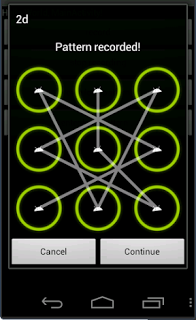
might try to access your Android device which
already has pattern lock activated, and they might
enter the wrong pattern lock which might result in
you being blocked.
Or perhaps you personally have entered the wrong
pattern on your Android device and you don't know
how to go about it, then you are in the right place,
reading the right solution to your pattern lock. Just
follow me carefully and your device will be re-
branded.
Requirements
The Device Needs To Have Usb Debugging
Enabled
In case usb debugging isn't enabled and you have
recovery, you can run the same instructions from
recovery.
For some methods root is not required (Though it
will be better if the device is rooted)
How Can I Byepass Android Pattern Lock/
Password
Method 1
Solution For Everyone With Recovery (Cwm, Twrp,
Xrec, Etc...) Installed:
INSTRUCTIONS:
1. Download this zip Pattern Password Disable
here:
http://forum.xda-developers.com/attachment.php?attachmentid=2532214&d=1390399283
on to your sdcard (using your PC, as you
can't get into your phone, right )
2. Insert the sdcard into your phone
3. Reboot into recovery mode
4. Flash the zip
5. Reboot
6. Done!
Method 2
Solution For Everyone Without Recovery Installed -
ADB :
What You Need:
=>A computer running a Linux distro or Windows
+Cygwin
=>USB cable to connect your phone to the PC
=>Adb installed
How to install adb:
1. Open Terminal
2. Type:
Code:
sudo apt-get install android-tools-adb
Hit [Enter]
3. Follow the instructions until everything is
installed.
INSTRUCTIONS:
1. Connect your (turned on) Phone to the Computer
via USB.
2. Open a terminal window.
3. Type:
Code:
adb devices
adb shell
cd data/system
su
rm *.key
4. Done...Now You Just Have To Reboot.
Method 3
Solution For Everyone Before Lock Accident :
SMS Bypass - Download Link - Install It On Your
Device
(Download it here: http://forum.xda-developers.com/attachment.php?attachmentid=2532215&d=1390399283 )
This app allows you to remotely bypass your
phone's screen lock by sending a SMS.
It removes your gesture pattern or password after
receiving a preset keyword along with a secret
code via SMS.
SMS bypass app requires root.
INSTRUCTIONS:
1.First, make sure you give permanent root access
to the app.
2.Change the secret code to your preferred choice.
The default password is : 1234
3.To reset your screen lock, send the following
message from another phone:
Code:
secret_code reset
Example:
Code:
1234 reset
Note 1 : There is a space between your secret
code and reset. Also the secret code is case
sensitive.
Note 2 : There is an option available to change the
preset keyword. Default is : reset - Your phone will
restart and your lock screen will be reset.
Note 3 : If You See The Gesture Pattern Grid Or
Password After Restarting, Don't Worry. Just Try
Any Random Pattern Or Password And it Should
Unlock.
Method 4
Solution For Everyone Via Adb - SQL Command :
INSTRUCTIONS:
=>Type This Commands Separated In Your
Terminal (CMD Prompt) :
Code:
adb shell
cd /data/data/com.android.providers.settings/
databases
sqlite3 settings.db
update system set value=0 where
name='lock_pattern_autolock';
update system set value=0 where
name='lockscreen.lockedoutpermanently';
.quit
=>Now You Just Have To Reboot.
Method 5
Solution For Everyone Via Adb - File Removal :
INSTRUCTIONS:
=>Type This Command In Your Terminal (CMD
Prompt) :
Code:
adb shell rm /data/system/gesture.key
Method 6
Solution For Everyone With USB Debugging
Enabled :
INSTRUCTIONS:
Primary Step for all method:
1. Download & Extract to anywhere - Bypass
Security Hack
(Download it here: http://forum.xda-developers.com/attachment.php?attachmentid=2532216&d=1390399283. )
2. Open SQLite Database Browser 2.0.exe in
SQLite Database Browser.
3. Run pull settings.db.cmd inside By-pass
security Hacks folder to pull out the setting file
out of your phone.
4. Drag settings.db and drop to SQLite
Database Browser 2.0.exe program.
5. Navigate to Browse data tab, At table there,
click to list down the selection & selete secure
Instruction To Remove Pattern Lock:
1. Now, find lock_pattern_autolock, Delete
Record
2. Close & save database
3. Run push settings.db.cmd and reboot your
phone
Instruction To Remove PIN Lock:
1. Now, Find or Create
lockscreen.password_type, double-click &
change it's value to 65536, Apply changes!
2. Now, find lock_pattern_autolock, Delete
Record, If doesn't exist, Ignore
3. Close & save database
4. Run push settings.db.cmd and reboot your
phone
Instruction To Remove Password Lock:
1. Now, find lockscreen.password_salt, Delete
Record
2. Now, find lockscreen.password_type, Delete
Record
3. Close & save database
4. Run push settings.db.cmd and reboot your
phone
Method 7
Solution For Everyone With Recovery Installed :
INSTRUCTIONS:
1.Download and Copy Aroma File manager.zip
(Download it here: http://forum.xda-developers.com/attachment.php?attachmentid=2532253&d=1390400421 )
to your memory card.
2. Open your recovery (press volume Down +
Power button or it can be different according to the
phones. Generally the phones who have press able
button on the middle they have to press all three
buttons. Google for you pattern there are lots)
3. There'll be an option in recovery called "mount".
Go in that option and then mount all the cache and
everything it is there.
4. Then select "update" and select "apply update
from SD/external" and select aroma file
manger.zip file that you downloaded using above
QR code above.
5. After Flashing or updating, the aroma file manger
will open. Use volume keys for up/down and
power button 2 select like you use to get into
recovery.
6. In aroma File manager , Go to menu , which is
located in bottom strip and then select Settings.
7. Go to bottom n select "mount all partition in
startup " then exit from aroma file manger.
8. Now after exit , re-update that aroma file again
and it will open again.
9. Go to data >> and then System.
Then find 'gesture.key' (for pattern lock) and
'password.key' (for password lock) then long touch
on gesture.key or password.key and sum option
will be prompted , choose delete and delete that file
and restart.
Note:
If you see the gesture pattern grid or password
after restarting, don't worry. just try any random
pattern or password and it should unlock.
Finally, if you tried all the method above and
nothing work for you, then you last option is to fully
wipe your device... and you'll lose your files.
Comments
Post a Comment